Back in beta! Stay tuned.

autodesk

Revit Area Totals and Rounding

A Revit diagram with six labeled rectangles in two rows displays: 40 SF, 64 SF, and 86 SF above; 86 SF, 64 SF, and 40 SF below. Each rectangle is outlined with dashed lines to help visualize area totals and rounding.

Integrating AutoCAD and Revit within architectural workflows presents unique challenges and benefits. While not ideal for pure BIM, a mixed approach can leverage Revit's coordination and auto-naming while retaining existing CAD details, offering a strategic transition or a persistent hybrid solution. Careful planning is crucial to manage graphic consistency, avoid double work, and ensure a clear division of tasks between the two platforms.

Mixing AutoCAD with Revit

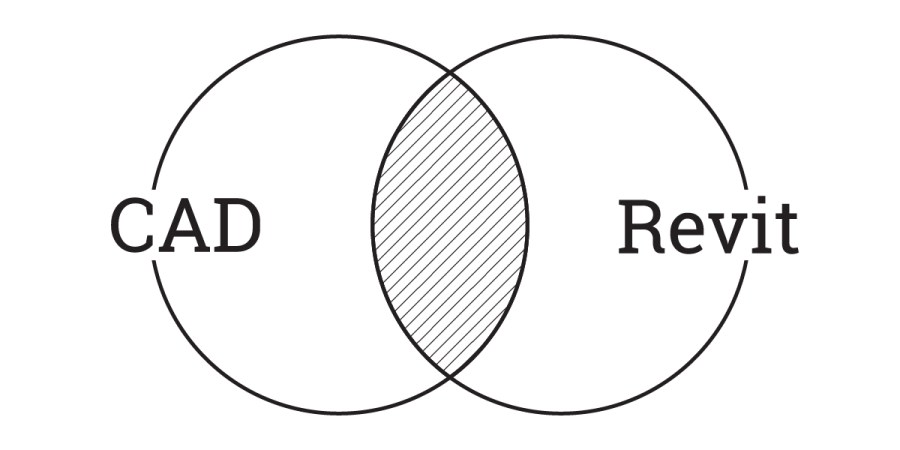
A Venn diagram with two overlapping circles; the left is labeled AutoCAD, the right is labeled Revit, and the overlapping section is shaded to represent mixing AutoCAD with Revit.

Integrating AutoCAD and Revit within architectural workflows presents unique challenges and benefits. While not ideal for pure BIM, a mixed approach can leverage Revit's coordination and auto-naming while retaining existing CAD details, offering a strategic transition or a persistent hybrid solution. Careful planning is crucial to manage graphic consistency, avoid double work, and ensure a clear division of tasks between the two platforms.

Managing Revit File Size & Performance

Maintaining optimal Revit file size and performance is crucial for efficient project delivery in architecture. While there's no single solution, a combination of strategies is key to managing file bloat and ensuring smooth operation. This guide provides actionable tips, from purging unused elements to optimizing models and handling external data, helping BIM coordinators and designers proactively control file growth and enhance productivity.