Back in beta! Stay tuned.

drawings

Open to Below; Open to Above
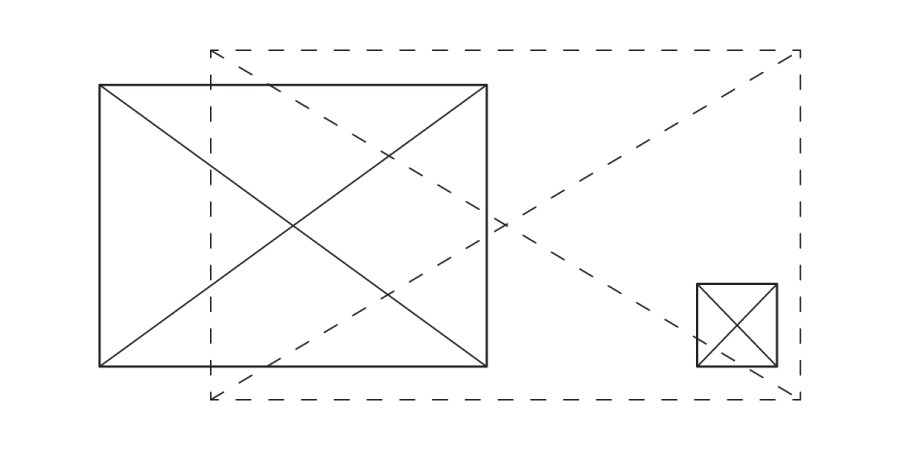
A large solid-lined square and a smaller solid-lined square appear on a white background. Both squares, marked “Open to Below,” have diagonal lines inside. Dashed lines connect their corners, outlining a larger rectangle.

Deciphering "open to below" and "open to above" in architectural plans is crucial for clarity. "Open to below" areas, visible within the view range like floor openings or shafts, are delineated with solid lines and an "X" mark. Conversely, "open to above" spaces, such as multi-story atriums or soffits, are represented by dashed lines, indicating elements not directly seen in the current plan view. Understanding these graphic standards ensures precise communication in architectural documentation.

Industry Graphic Standards

A large clipboard icon with checkmarks is on the left. On the right are six diagrams showing boxes in various orientations and three grid patterns, reflecting Industry Graphic Standards. The background is white.

Graphic standards in architectural documentation are dynamic, constantly evolving with project needs and office conventions. While internal guides are essential, a commitment to industry consistency enhances legibility and streamlines collaboration. These standards, developed through diverse project experiences, aim to provide a flexible framework, encouraging adaptation and refinement to best serve the unique communication goals of each drawing type.

Conformed Set

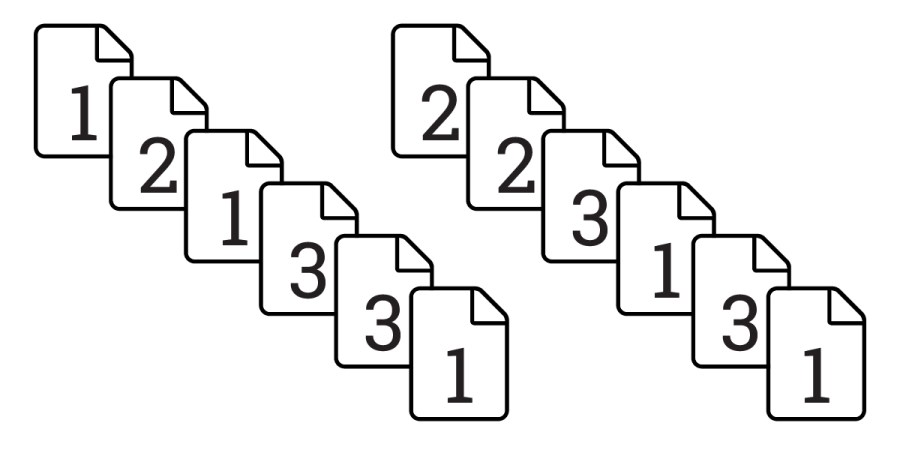
Nine document icons form two diagonal lines, each representing a Conformed Set. The first line shows documents labeled 1, 2, 3 three times, while the second line repeats 2, 3, 1 three times.

Understanding a "conformed set" is crucial for architects and design professionals. This artificial drawing set, never formally issued, compiles the latest updated sheets from various bulletins into one comprehensive document. Unlike simply printing from design software, a conformed set ensures all revisions are accurately represented, providing a clear, up-to-date snapshot of the project's progress without the risk of showing unvetted changes or incorrect revision bubbles.